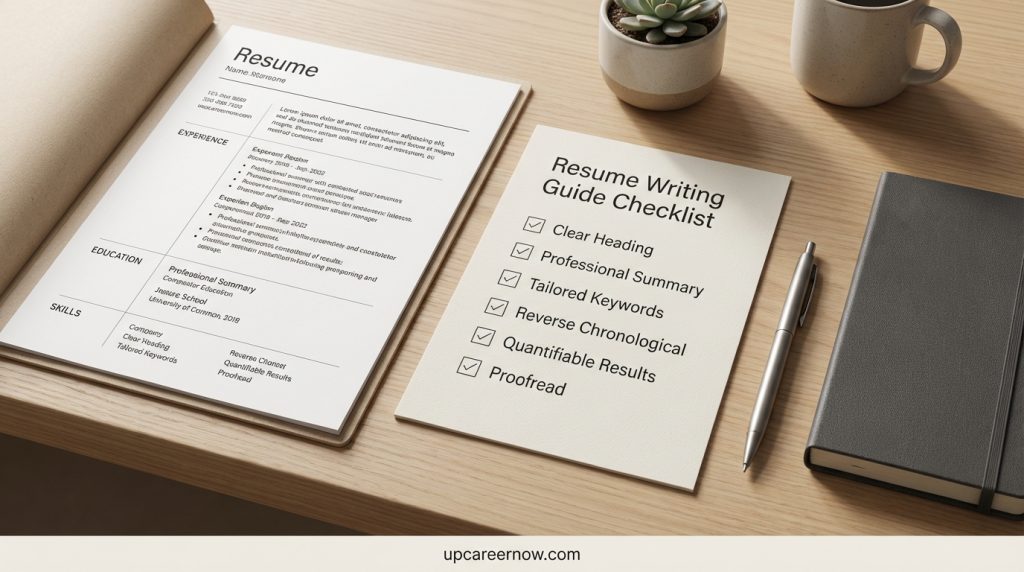
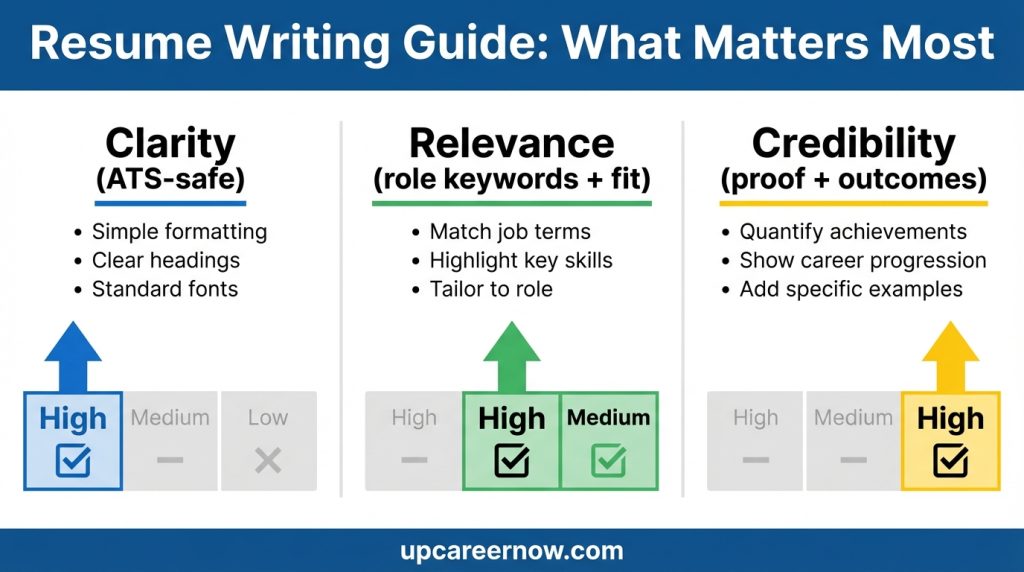
A strong resume writing guide helps you build a resume that is easy for screening systems to read and easy for people to trust. Most hiring teams scan quickly at first. They look for a clear role match, credible proof, and a layout that doesn’t fight the reader.
This resume writing guide will help you:
- Choose an ATS-safe structure that still looks professional
- Write bullets that show outcomes, not just responsibilities
- Align keywords naturally (without stuffing)
- Tailor faster using a repeatable workflow
- Avoid common mistakes that quietly lower interview chances
The goal is simple: create a resume that is clear, relevant, and evidence-based—so the right reader can understand your value in under a minute. You can visit for best guide to ATS Resume Format.
What This Resume Writing Guide Covers
This resume writing guide is built around how hiring actually works: quick initial screening, short human scans, and deeper review once you look like a strong match. It focuses on the practical elements that influence whether your resume gets attention.
What you’ll learn
- Clarity: how to structure and format your resume so it stays readable after upload
- Relevance: how to reflect a target role with accurate language and priorities
- Proof: how to write bullets that show outcomes, scope, and decision-making
- Keywords (done right): how to include role terms in a natural, defensible way
- Tailoring system: a repeatable method so you can apply efficiently without rewriting everything
Who it’s for
This resume writing guide works for:
- Beginners building a first serious resume
- Mid-career professionals upgrading impact and focus
- Career changers translating skills into a new role language
- Returners updating formatting and proof after time away
What it avoids
This guide avoids heavy templates that sound copied, unrealistic promises, and overly designed layouts that can break parsing. The priority is a resume that reads cleanly, communicates fit quickly, and holds up under interview questions.
Also Read:Work experience section examples
Before You Write: Clarify Your Target Role
A resume writing guide works best when your resume aims at one role family at a time. If you try to target too many different job types in one document, the resume often becomes vague—and vague resumes are easy to skip.
Step 1: Pick a primary target (and one backup)
- Target Role A: your main goal role
- Target Role B: a close alternative that uses similar skills
This keeps your language consistent and reduces over-editing.
Step 2: Define 3–5 “proof themes”
Choose proof themes that match the role:
- Efficiency (time saved, cycle time, throughput)
- Quality (accuracy, defect reduction, compliance)
- Growth (pipeline, retention, adoption)
- Customer outcomes (resolution, satisfaction, repeat use)
- Delivery (on-time milestones, risk reduction, coordination)
Step 3: Build a short “scope snapshot”
Write 3 quick lines you can reuse:
- Your typical workload or volume
- Who you worked with (teams/stakeholders)
- The tools or systems you used regularly
A good resume writing guide starts with targeting because it makes every later decision easier: what to include, what to cut, and what to emphasize.
ATS Basics Without the Mythology
An applicant tracking system (ATS) is software employers use to collect, store, search, and manage job applications through the hiring process. For resume writing purposes, the key idea is simple: your resume must be easy to read as text and easy to scan quickly.
What “ATS-friendly” really means
In a practical resume writing guide, ATS-friendly means:
- Standard section headings (Summary, Skills, Experience, Education)
- Clean text that copies/pastes neatly
- Consistent job titles and dates
- No important information trapped inside images, icons, or complex shapes
What ATS-friendly does not mean
It does not mean you should:
- Remove all personality from your writing
- Avoid strong outcomes and numbers
- Write long keyword lists without proof
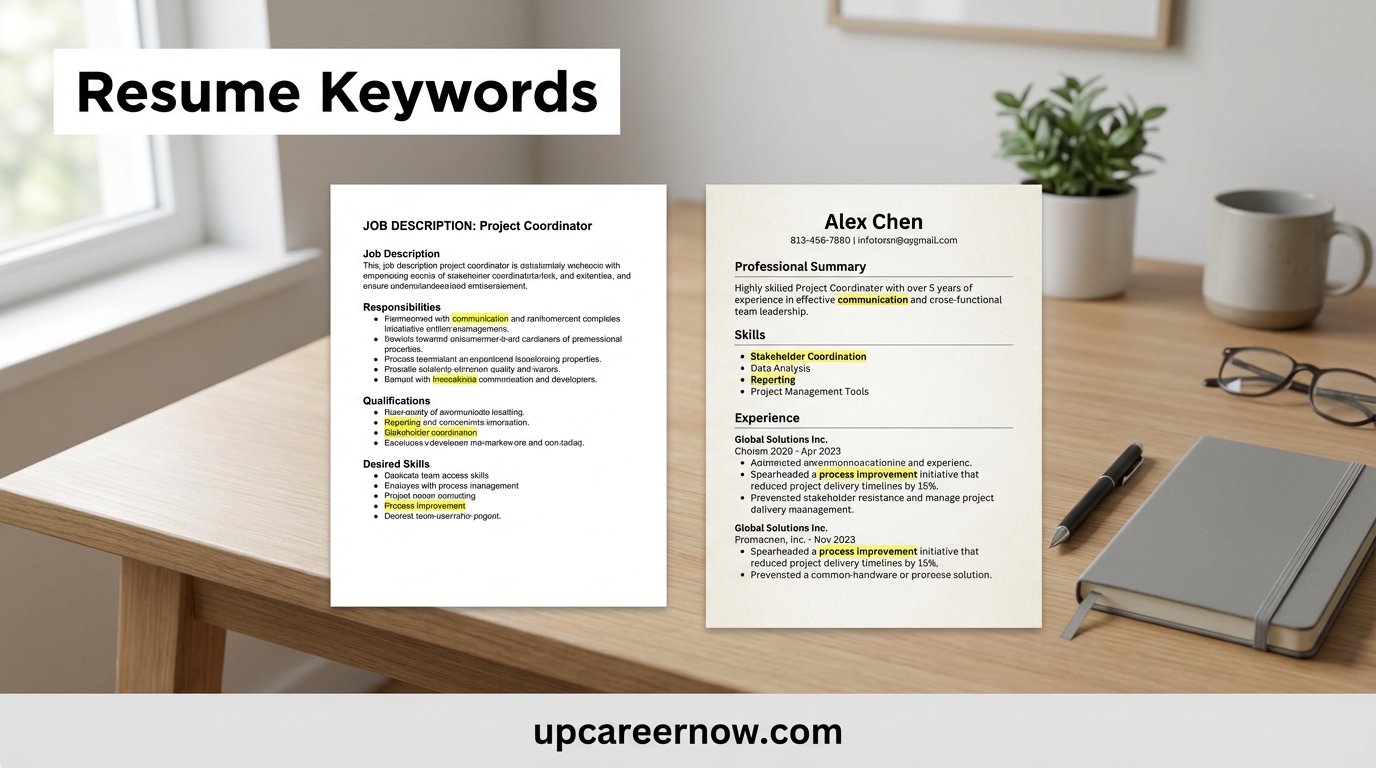
Resume Keywords: How to Match Job Descriptions Safely
The safest assumption
If your resume reads clearly in:
- a normal PDF viewer, and
- plain text after copy/paste,
…it is usually in good shape for both software and humans.
Resume Structure That Works in Real Hiring
A reliable resume writing guide structure makes the top half of your resume do most of the work. Recruiters typically want to confirm fit fast, then look for proof.
Recommended structure (most roles)
- Header: Name, location, phone, email, optional portfolio link
- Headline + Summary: 2–4 lines that signal role fit
- Skills: prioritized list tied to the target role
- Experience: proof-first bullets with scope and outcomes
- Education: degree(s) and relevant details
- Optional: Certifications, Projects, Volunteer work (only if relevant)
The “two-pass” test
- Pass 1 (10–20 seconds): role match + seniority + credibility signals
- Pass 2 (30–90 seconds): strongest bullets + scope + tools + outcomes
Your resume should clearly show: what you do, what level you operate at, and what results you’ve delivered. That’s the core outcome of this resume writing guide.
Formatting Rules That Keep Your Resume Parseable
This resume writing guide uses a simple rule: formatting should support reading, not compete with it. The goal is a resume that stays clean after upload and remains easy to scan on any device.
ATS-safe formatting defaults
- One-column layout for main content
- Standard fonts (clean, readable)
- Bold for emphasis, not decorative graphics
- Simple bullets (real text bullets)
- Consistent dates (same style across roles)
- Clear section headings in plain text
Use spacing intentionally
- Keep line spacing comfortable
- Use white space to separate sections
- Avoid huge gaps that make the resume feel empty
Avoid common parsing risks
- Two-column layouts where experience sits in a side column
- Icons that replace words (they may drop in text parsing)
- Text boxes for key content
- Charts or skill bars that hide meaning
Quick self-check
Export as PDF, then copy/paste into a plain-text document. If headings, dates, and bullets still read clearly, your structure is likely solid.
Write a Summary That Signals Fit Fast
A strong summary is a shortcut for the reader. In this resume writing guide, the summary is not a personal statement—it’s a role-fit snapshot that points to proof.
What a good summary does
- States your role identity (what you do)
- Signals level/scope (what size problems you handle)
- Highlights 1–2 proof themes (how you create value)
- Names key tools or methods only if relevant and true
Summary framework (2–4 lines)
Role + scope + proof theme + differentiator
Examples (adapt your wording):
- “Operations professional focused on process improvement, reporting, and cross-team coordination. Known for reducing delays and improving consistency through clear documentation and practical workflow changes.”
- “Customer support specialist with strength in troubleshooting, knowledge-base writing, and escalation handling. Consistently improves resolution quality by standardizing responses and tracking recurring issues.”
What to avoid
- Long paragraphs
- Soft traits without evidence (“hardworking,” “passionate”)
- Buzzwords that don’t map to real work
A clean summary supports the rest of the resume writing guide approach: clarity first, proof second.
How to Write Bullets That Prove Value
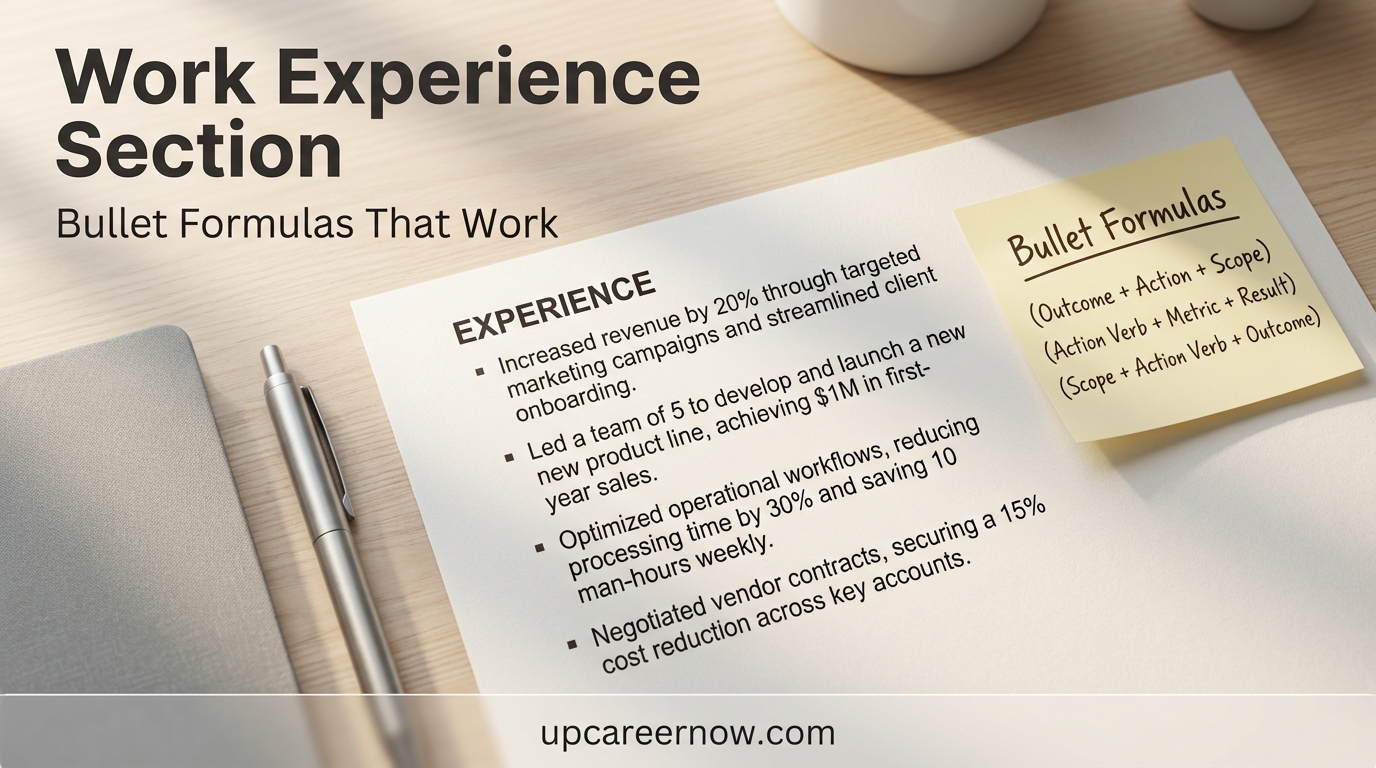
Bullets are where hiring decisions start to form. This resume writing guide uses “proof-first” bullets: outcomes first, then how you achieved them.
Proof-first bullet formula
Outcome + what changed + how + scope/tools
Examples (edit to your reality):
- Reduced turnaround time by 18% by simplifying intake steps and creating a weekly tracking routine across two teams.
- Improved accuracy by adding validation checks and updating documentation used by new team members.
- Delivered projects on schedule by clarifying dependencies, tracking risks, and aligning stakeholders weekly.
What makes a bullet credible
- A clear result (time, quality, cost, customer outcome, delivery reliability)
- A practical method (what you did, not “responsible for”)
- Scope (volume, frequency, team size, number of stakeholders)
- Tools or processes only when they add clarity
If you don’t have perfect numbers
Use grounded scope signals:
- “handled weekly reporting,” “supported 3 departments,” “served high-volume requests,” “reduced rework,” “improved consistency”
A good resume writing guide does not force fake metrics. It helps you communicate impact honestly.
Keywords: How to Align Without Stuffing
Keywords help your resume match how the role is described. In this resume writing guide, keywords are treated as labels for work you can prove—not filler. See: keyword matching without stuffing.
Step 1: Collect 8–14 core terms
From the job posting, capture:
- Role title variants
- Core responsibilities (e.g., reporting, coordination, analysis)
- Tools/systems mentioned
- Industry processes or standards
- Skill requirements you genuinely have
Step 2: Place keywords in “high-meaning” zones
Use core terms in:
- Summary (1–2 terms max)
- Skills (prioritized, not dumped)
- Experience bullets (only where the work supports it)
Step 3: Avoid stuffing patterns
Stuffing often looks like:
- Repeating the same term in every bullet
- Listing tools you never used
- Copying role text with no matching proof
A safe rule in this resume writing guide: if a keyword appears, you should be able to explain it with a specific example.
Skills Section: What to List and How to Prioritize
The Skills section is a fast “fit check.” This resume writing guide recommends keeping it short, structured, and aligned to the target role.
Build a 3-part skills layout
- Core role skills (6–10): the skills most tied to the posting
- Tools/systems (6–12): only what you actually used
- Methods/knowledge (4–8): frameworks, processes, domain concepts
Prioritize for scanning
Put your most role-relevant skills first. Avoid alphabetizing if it hides what matters most. A recruiter should see your best match in one quick read.
Keep skills defensible
If a skill is listed, you should have:
- at least one bullet in experience or projects that supports it, or
- a clear context where you used it (even if informal)
A good resume writing guide uses the Skills section to reinforce proof, not replace it.
Experience Section: What Recruiters Need to See
Your Experience section is where the reader decides whether your claims are real. This resume writing guide keeps it consistent and easy to verify.
Best-practice layout per role
- Company | Title | Location | Dates
- 1 context line (optional): scope, team, or mission
- 4–6 bullets: proof-first outcomes (most important work)
- Tools line (optional): only if it adds clarity and relevance
What recruiters look for quickly
- Role level and growth (progression over time)
- Scope (team size, volume, complexity)
- Outcomes (quality, speed, customer impact, delivery)
- Consistency (no contradictions in dates/titles)
How to handle older roles
If the role is less relevant or very old:
- keep 2–3 bullets, focused on transferable proof
- avoid long task lists
- preserve dates and titles cleanly
This resume writing guide principle: focus detail where it sells your fit today.
Education vs Certifications vs Projects
This resume writing guide uses a simple decision rule: emphasize what the employer treats as a requirement, then add proof that reduces doubt.
Education (emphasize when)
- The role requires a specific degree
- You’re early-career and education is a major signal
- Your coursework directly supports the job (selective mentions)
Keep it clean: degree, school, year (or expected year). Add honors only if meaningful.
Certifications (emphasize when)
- The posting lists certifications as preferred/required
- You’re shifting into a new specialization
- The certification is widely recognized in your field
Avoid clutter: list only relevant certifications; include year if recent.
Projects (emphasize when)
- You lack direct experience in the target work
- You’re changing careers and need proof of capability
- Your project demonstrates real tools, outputs, or outcomes
In this resume writing guide, projects should be short: 2–4 bullets each, outcome-focused.
Portfolio and Proof: How to Show Work Simply
If work samples strengthen your credibility, include them in a way that stays ATS-safe. This resume writing guide recommends minimal, clean proof links.
ATS-safe ways to include proof
- A plain-text portfolio URL in the header
- A “Selected Projects” section with 2–3 entries
- A short line: “Work samples available upon request” (if links aren’t appropriate)
Keep proof aligned to the target role
Only include samples that:
- match the job’s responsibilities
- show outcomes (before/after, results, deliverables)
- are easy to understand quickly
Don’t overload the resume
Your resume should point to proof—not become the proof library. If proof needs context, keep it short and let interviews do the deeper exploration.
Tailoring Workflow: 20 Minutes Per Application
Tailoring improves relevance without rewriting everything. This resume writing guide uses a 20-minute workflow that stays consistent and honest.
Minute 1–5: Extract the “core match”
From the job posting, highlight:
- 8–14 core terms (skills, tools, responsibilities)
- 2–3 outcomes the role cares about (speed, quality, customer, delivery)
Minute 6–12: Adjust the top third
- Update your summary to reflect the role language (truthfully)
- Reorder skills so the most relevant appear first
- Remove any top-third items that distract from the target role
Minute 13–20: Tune a few bullets
- Select 2–4 bullets and tighten them toward the posting priorities
- Add one tool/process mention only where it’s real and helpful
- Cut or shorten one weak bullet to keep focus
This resume writing guide method keeps tailoring repeatable while protecting accuracy.
Common Mistakes (and Clean Fixes)
This resume writing guide focuses on mistakes that quietly reduce callbacks—often without you realizing why.
Mistake 1: Duties without outcomes
Fix: Convert at least half of your bullets to proof-first outcomes (result + method + scope).
Mistake 2: Over-designed templates that break parsing
Fix: Use one column for core content, standard headings, and avoid text in shapes or graphics.
Mistake 3: Too many skills, too little evidence
Fix: Shorten your skills list and ensure key skills appear in at least one experience/project bullet.
Mistake 4: A summary that says nothing specific
Fix: Rewrite summary using role identity + proof theme + scope. Keep it 2–4 lines.
Mistake 5: Inconsistent dates/titles
Fix: Standardize date format and keep titles consistent with what employers can verify.
A professional resume writing guide doesn’t add complexity—it removes the friction that makes a reader hesitate.
Decision Inputs & Outcomes
| Decision input | If you choose this | Likely outcome | Best for | Risk to watch |
|---|---|---|---|---|
| One-column layout | Standard headings, no sidebars, minimal design | More reliable parsing + faster scanning | Most online applications | Looks plain if bullets are weak |
| Two-column layout | Sidebar for skills/tools, main column for experience | Can look modern, but may parse inconsistently | Direct email/referrals (sometimes) | ATS may scramble columns |
| Keyword alignment (8–14 core terms) | Use role terms where you can prove them | Stronger match signals in search + skim | Competitive roles | Stuffing terms without evidence |
| Proof-first bullets | Lead with outcomes, then method and scope | Higher credibility + clearer impact | Most roles and seniorities | Over-claiming or unclear metrics |
| Skill list length | Short, prioritized (role-first) | Faster “fit” recognition | High-volume screening | Omitting a required skill |
| Education emphasis | Keep short unless required | More space for proof | Mid-career candidates | Under-selling required credentials |
| Projects section | 2–3 role-relevant projects with outcomes | Fills gaps + shows capability | Beginners/career changers | Projects unrelated to target role |
ATS-Safe Resume Checklist Table
| Area | Do this | Avoid this | Quick self-test |
|---|---|---|---|
| Headings | Summary, Skills, Experience, Education | Creative labels that hide meaning | Can someone find sections in 5 seconds? |
| Layout | One column for core content | Experience in side columns | Copy/paste into plain text—still readable? |
| Fonts | Simple, readable font and sizing | Decorative fonts or tiny text | Readable on mobile at a glance? |
| Bullets | Outcome + method + scope | Long task lists | Does each bullet answer “so what”? |
| Keywords | Use role terms tied to real proof | Keyword dumping | Can you defend each term in interview? |
| Dates | Consistent format across roles | Mixed date styles | Do dates scan cleanly down the page? |
| File export | PDF (unless employer asks otherwise) | Image-based resumes | Is text selectable in the PDF? |
Author Bio (Updated)
Author: UpCareerNow Editorial & Research Team
Credential: Career content research and editorial review (evidence-based, AdSense-safe publishing standards)
Role: Editorial team specializing in resume strategy, job-search planning, and hiring-aligned career guidance
Bio:
The UpCareerNow Editorial & Research Team creates practical career content focused on clarity, accuracy, and real hiring workflows. For this resume writing guide, the team synthesized widely accepted resume best practices, ATS-safe formatting principles, and recruiter-friendly proof writing to help readers build resumes that are easy to scan, easy to parse, and easy to verify. Content is reviewed to avoid exaggerated claims and to prioritize actionable, repeatable guidance.
FAQs
1) What is the best resume writing guide format for ATS and humans?
The best resume writing guide format is usually a one-column resume with standard headings, clean text, and proof-first bullets. It’s easier to parse on upload and easier to skim quickly.
2) How do I use keywords in a resume writing guide without stuffing?
Use 8–14 core terms that match the job posting, then place them naturally in your summary, skills, and a few bullets where you can prove the work. If you can’t defend a keyword with an example, leave it out.
3) What should a professional resume writing guide say about length?
For most candidates, a resume should be long enough to show relevant proof and short enough to stay easy to scan. Keep older roles brief and prioritize recent, role-relevant impact.
4) Is an ATS resume writing guide different for career changers?
Yes. Career changers often need stronger transferable-skill framing, a tighter summary, and a small projects section that proves capability in the new role language.
5) What if I don’t have measurable results?
Use scope signals (volume, frequency, complexity, stakeholders) and outcomes like error reduction, faster turnaround, improved consistency, or fewer escalations. This still shows impact credibly.
6) Should I include a portfolio link?
Include it if it strengthens trust and relates to the role. Keep it ATS-safe by using a simple plain-text URL in the header.
7) How fast can I tailor my resume for each application?
With a master resume, you can typically tailor by adjusting the summary, reordering skills, and tuning 2–4 bullets. The goal is relevance without rewriting everything.
Limitations and Disclaimer
“Career information on UpCareerNow is provided for general guidance and planning purposes only. Actual outcomes depend on skills, experience, location, and market conditions.”
Ad & Content Safety Note
This article is written to be practical and AdSense-safe. It avoids guarantees, exaggerated outcomes, and unrealistic promises. Hiring decisions vary by employer, competition, and role requirements, so use this guidance as a planning framework and tailor it to real job descriptions.
References
U.S. Department of Labor — CareerOneStop, “Applicant tracking systems” (Resume Guide).
National Association of Colleges and Employers (NACE) — “What are employers looking for when reviewing… resumes” (Job Outlook survey insights).